
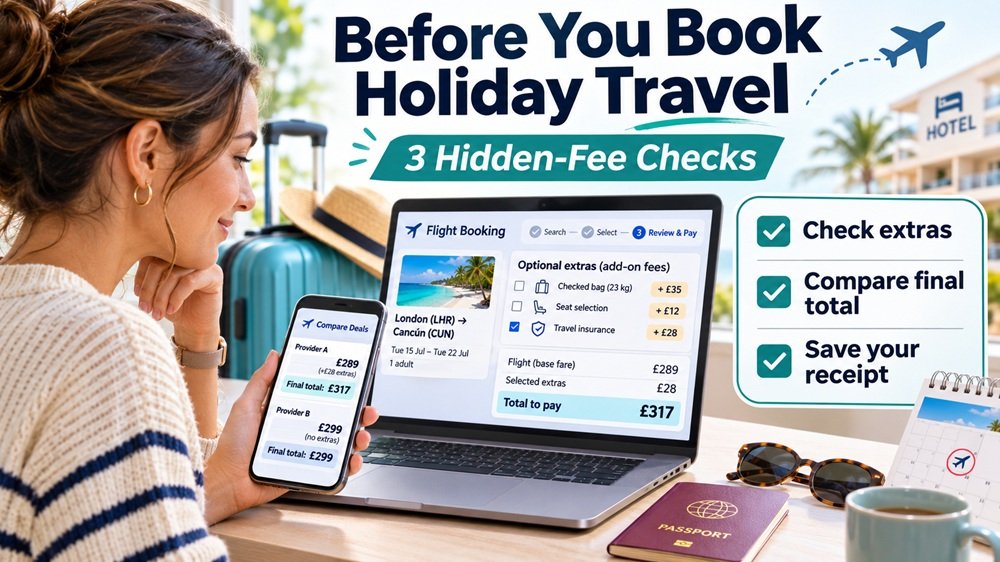
That flight or hotel deal may cost more than you expected. Here’s how to catch unwanted extras before you pay.
You find a flight that fits your holiday budget. The price looks reasonable, the dates work, and you’re ready to book.
A few clicks later, you receive your confirmation.
Then something doesn’t add up.
The charge on your credit card is higher than the price you thought you agreed to.
Maybe an extra service was added. Maybe the booking total changed. Or perhaps an optional fee was already selected before you even noticed it.
That’s exactly the kind of problem the Federal Trade Commission (FTC) warned about in a November 3, 2026 consumer alert about hidden travel booking fees.
The good news? You don’t need to understand every airline or hotel pricing rule to protect yourself.
Before you book holiday travel, make three checks: review the optional extras, compare the final total, and save proof of what you agreed to pay.
Why the FTC Is Warning Travelers About Hidden Fees
The FTC’s latest travel warning highlights a case involving the travel-booking app Hopper.
According to the FTC’s complaint, Hopper displayed a booking total and a prominent button encouraging users to continue.
But additional charges labeled “Tip” and “VIP Support” were preselected and not adequately visible on the main booking screen.
Consumers had to scroll farther down to find those charges.
The FTC alleged that users could end up paying for services they had not knowingly chosen.
The agency also challenged representations about the benefits and limitations of certain add-on services.
The case began in July 2026, and a court-entered settlement order followed in August. The November 3 consumer alert used the case to remind travelers to inspect booking screens carefully.
The case does not mean every travel app charges hidden fees. It illustrates a broader problem: a checkout screen can make an extra charge easy to overlook.
Here is how to avoid that mistake.
Hidden-Fee Check #1: Look for Extras You Didn’t Choose
The first check takes only a few seconds.
Before clicking “Book,” “Pay,” or “Confirm,” scroll through the entire checkout page.
Don’t stop just because you see a large button and what looks like a final total.
Look for options such as:
- Priority or VIP customer support
- Booking protection or travel insurance
- Tips or service contributions
- Fare-freeze or price-protection services
- Seat selection and baggage upgrades
- Flexible cancellation options
These services are not automatically bad purchases.
Some may be useful for a particular trip. But the important question is whether you actually want the service and understand its price and terms.
Pay attention to preselected boxes
A box that is already checked can be easy to miss, especially on a phone.
Check every toggle and selection before submitting payment.
If you didn’t choose an extra service, review whether it can be removed.
The FTC specifically recommends looking for preselected options and scrolling past prominent payment buttons to uncover charges that might otherwise go unnoticed.
SavingQueen tip: If the app offers “VIP Support” or another upgraded service, ask what it provides beyond the standard support already available. Paying extra only makes sense if the added benefit is worth the cost to you.
Hidden-Fee Check #2: Compare the Final Total, Not Just the Advertised Price
Imagine you’re comparing two flights for the same trip.
One booking site shows a ticket price of $285.
Another shows $299.
The first option seems cheaper.
But before purchasing, you discover two additional charges.
| Hypothetical booking example | Amount |
|---|---|
| Advertised ticket price | $285 |
| Optional support charge | $18 |
| Optional tip | $12 |
| Final checkout total | $315 |
This is an illustrative example, not actual Hopper pricing.
The original $285 offer is now $315 if both extras remain selected.
That’s $16 more than the competing $299 offer, assuming the travel options and included services are otherwise comparable.
The relevant number is what you’ll actually pay for the trip you intend to take.
What must be included in the price?
Different travel products have different pricing requirements.
For flights, the U.S. Department of Transportation generally requires advertised airfare to include mandatory taxes, government fees, and carrier-imposed surcharges.
Optional items, such as certain baggage or seat-selection services, can have separate costs. Review them when comparing what each fare includes.
For short-term lodging, including hotels and vacation rentals, the FTC’s Rule on Unfair or Deceptive Fees took effect on May 12, 2025.
Under that rule, sellers generally must display the total price including required fees they know and can calculate upfront.
Mandatory resort fees and required vacation-rental cleaning fees are examples of charges that belong in that displayed total.
Taxes and certain genuinely optional charges may be displayed separately, but applicable excluded charges must be disclosed before payment.
The rule is about transparent pricing. It does not prohibit every fee or guarantee that one booking option will be cheaper.
Compare the same trip, not just the same destination
When comparing prices, check:
Flights: Are baggage, seat selection, and change restrictions comparable?
Hotels: Does the total cover the full stay, required property charges, and applicable taxes?
Vacation rentals: Does the price include required cleaning fees and charges for the entire reservation?
Also check cancellation terms. A cheaper nonrefundable booking may not be the better deal if your plans are uncertain.
SavingQueen tip: Before you click Pay, write down or capture the final checkout total. That’s your reference point when checking the confirmation and card charge.
Hidden-Fee Check #3: Save the Final Price and Check Your Receipt
The last check happens immediately before and after booking.
Before submitting payment, take a screenshot of the checkout page showing the final total and selected services.
After booking, save the confirmation email or receipt.
Then compare three amounts:
- The final checkout total you agreed to pay
- The amount shown on your booking confirmation
- The amount charged to your payment card once the transaction posts
If the numbers don’t match, find out why.
A difference could reflect an authorized charge that was disclosed separately, a pending authorization, a currency conversion, or a billing error. Don’t automatically assume every difference is fraud.
What if you discover a charge you didn’t authorize?
Start by contacting the travel company or booking platform.
Ask for an itemized explanation and, where appropriate, a refund of the disputed extra charge.
Keep copies of your messages, screenshots, receipts, and the company’s response.
If you paid by credit card and believe the charge is a billing error, you may also have dispute rights under the Fair Credit Billing Act.
The FTC advises consumers to send a written billing-error dispute to the credit card issuer’s designated billing-inquiries address so it arrives within 60 days after the first statement containing the error was sent.
You can find detailed instructions in the FTC’s guide to disputing credit card charges.
Debit card protections and procedures differ, so contact your bank promptly if the disputed charge was made with a debit card.
You can also report suspected deceptive or unauthorized fees to the FTC at ReportFraud.ftc.gov.
Reporting a problem does not guarantee that you’ll recover the money, but it helps regulators identify potentially harmful business practices.
One More Holiday Travel Trap: Don’t Confuse a Reservation With a Ticket
Booking platforms sometimes offer services that let you hold a price or reserve an option for later.
Those services can sound useful when holiday prices are changing.
But read the terms before paying.
Ask whether the service guarantees availability, how much of a price increase is covered, whether the fee is credited toward the purchase, and what happens if the original flight or room is no longer available.
A service described as a “price freeze” may have limits that significantly change its value.
Also remember that a third-party travel booking may not have the same cancellation procedures as a purchase made directly with an airline.
The Department of Transportation’s airline 24-hour reservation or refund requirement does not automatically apply to tickets purchased through online travel agencies.
Before paying extra for flexibility, check what rights or options you already have.
The SavingQueen 60-Second Travel Booking Checklist
Use this before booking your next flight, hotel, or vacation rental.
- I scrolled through the full checkout screen.
- I checked for preselected optional services.
- I removed extras I don’t want.
- I compared the full cost of equivalent booking options.
- I reviewed baggage, cancellation, and other important restrictions.
- I checked the exact amount I’m agreeing to pay.
- I saved the final checkout price and confirmation.
You don’t need to reject every add-on.
You just need to make sure each one is a purchase you actually chose.
Bottom Line: The Price That Matters Is the Price You Agree to Pay
Holiday travel is expensive enough without paying for extras you never intended to purchase.
The FTC’s warning is a useful reminder that online checkout design can influence what consumers notice—and what they miss.
Before completing a reservation, take a minute to review optional services, compare the full price, and preserve a record of the transaction.
A good travel deal is not just the lowest number on the search-results page. It’s a price you understand, for the trip and services you actually want.
That final check might take less than a minute. It can save you the frustration of sorting out an unexpected charge after you’ve already booked.
Information verified November 4, 2026. This article provides general consumer information. Booking terms and consumer remedies vary by transaction, provider, payment method, and applicable law.