
If you’ve ever reached the online checkout page and thought, “There has to be a promo code out there somewhere,” you’re not alone. I’ve absolutely paused mid-purchase to Google “Brand + coupon” like it’s a part-time job. In 2026, though, you don’t have to play detective anymore. Browser extensions can test dozens of codes automatically in seconds—no effort, no awkward expired discounts, no guessing.
So whether you’re outfitting your apartment, upgrading your laptop, or just trying to save money on bulk paper towels (relatable), these tools can put real cash back in your pocket. Below, I break down the best coupon-finding extensions for 2026, what makes each one unique, and how to choose the best one for your shopping style.
Honey (PayPal Honey): Still the Crowd Favorite
Honey has been the go-to deal-finder for years, and in 2026 it’s still the most popular pick for everyday shoppers.
What Honey Does Best
- Automatically runs coupon codes across thousands of stores
- Tracks price drops on Amazon and other major retailers
- Offers Honey Gold—cash-back style rewards you can redeem for gift cards
Why People Love It
Honey’s algorithm continues to improve, and its checkout testing is fast and accurate. The integration with PayPal also makes rewards simple to redeem.
Best For: Amazon shoppers, everyday purchases, travel bookings
Drawback: Works less consistently on smaller boutique sites
Capital One Shopping: Great for Price Comparison Hunters
Even if you don’t have a Capital One card, you can use this extension. It scans prices across the internet and shows if another retailer has a lower price—even factoring in shipping.
Key Features
- Finds coupon codes at checkout
- Price comparison engine (their strongest feature)
- Rewards system redeemable for gift cards
Why It Stands Out in 2026
Many shoppers say Capital One Shopping beats Honey when it comes to broader price checks, especially for tech and appliances.
Best For: Big purchases, electronics, home goods
Drawback: Pop-ups can feel a little aggressive if you’re browsing fast
Rakuten Extension: The Cash-Back Powerhouse
Rakuten is less about coupon testing and more about earning straight cash back—but it does automatically apply coupon codes when available. The real savings come from activating cash-back offers before you shop.
What Makes It Great
- Earn cash back at 3,500+ stores
- Auto-applies coupons
- Sends quarterly “Big Fat Checks” (their words, not mine—though I’m here for it)
Best For: Frequent online shoppers, travel bookings, clothing
Drawback: Cash-back rates may vary based on referral promotions or retailer deals
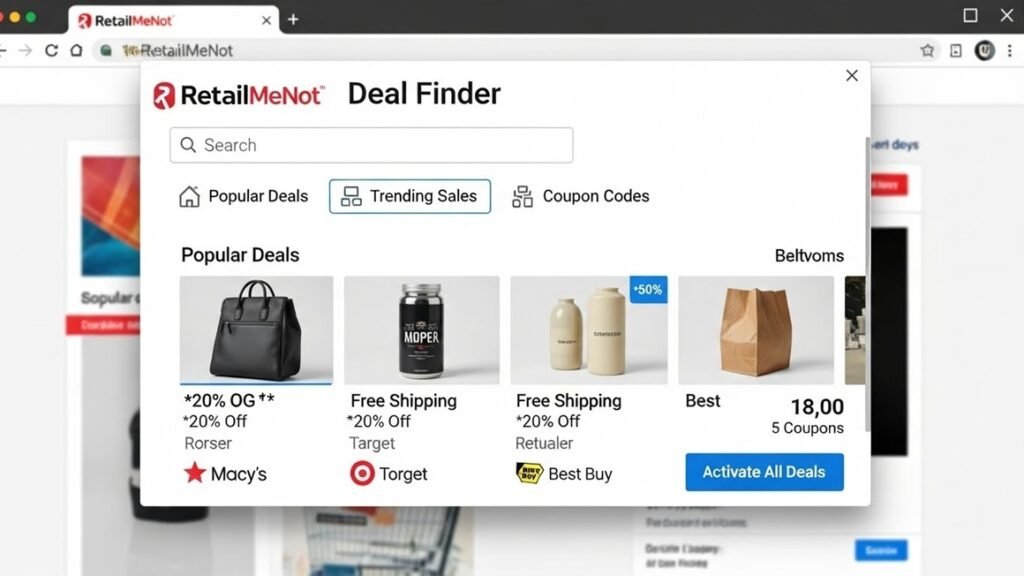
RetailMeNot Deal Finder: Solid Backup for Extra Savings
RetailMeNot has been a coupon database for ages, and its newer Deal Finder extension builds on that reputation.
Why People Use It
- Pulls from RMN’s massive promo code library
- Offers limited-time cash-back offers
- Works well on fashion and beauty sites
Best For: Clothing shoppers, holiday deals
Drawback: Doesn’t match the price-tracking depth of Honey or Capital One Shopping
Coupert: Underrated but Powerful for Cash-Back Hunters
Coupert is less well-known but is gaining traction in 2026 because of its higher-than-average cash-back bonuses.
What Makes Coupert Competitive
- Auto-applies coupon codes
- Offers surprisingly high “gold” rewards cash-back
- Includes daily check-ins for bonus savings
Coupert sometimes uncovers codes the bigger extensions miss—especially on niche marketplaces.
Best For: Shoppers willing to try a smaller provider for extra cash back
Drawback: Smaller store coverage compared to Honey
How to Choose the Best Coupon-Finding Extension (In 3 Steps)
Picking the right extension depends on your shopping habits more than anything else. Here’s a quick way to decide:
1. If you mostly shop Amazon → Go With Honey
Honey’s price history and discount detection on Amazon are still reliable in 2026.
2. If you buy electronics or appliances → Capital One Shopping
Its price comparison alerts are top-tier.
3. If you want real cash back → Rakuten (or Coupert)
These pay out the most consistently.
Pro Tip: You can safely run more than one extension installed at once—just turn off overlapping features so they don’t “fight” for the checkout box.
Are These Extensions Safe?
Most big coupon extensions are safe when downloaded from trusted sources like the Chrome Web Store or Firefox Add-ons library. Still, always check:
- Privacy policies (some analyze shopping behavior)
- Permissions (avoid extensions requiring unnecessary access)
- Recent reviews (look for 2025–2026 comments)
The FTC recommends reviewing privacy disclosures before installing money-saving tools, especially ones that track purchasing behavior.
Final Thoughts: Small Extensions, Big Savings
It’s honestly wild how much money you can save by doing… absolutely nothing. The right browser extension acts like a mini financial assistant—testing codes, finding lower prices, and stacking cash-back payouts without you lifting a finger.
If you’re looking to cut your online spending in 2026, start with Honey or Capital One Shopping and add Rakuten for cash-back boosts. Over the course of a year, those automatic savings can add up to a few hundred dollars (or more, depending on your shopping habits).
What’s your go-to money-saving extension? Drop it in the comments!
And hey—if you want more budgeting hacks and deal-finding tips, subscribe to our newsletter so you never miss a savings opportunity.